Quick Start Guide
Get up and running with Tradie Team Manager in minutes.
Instructions
1 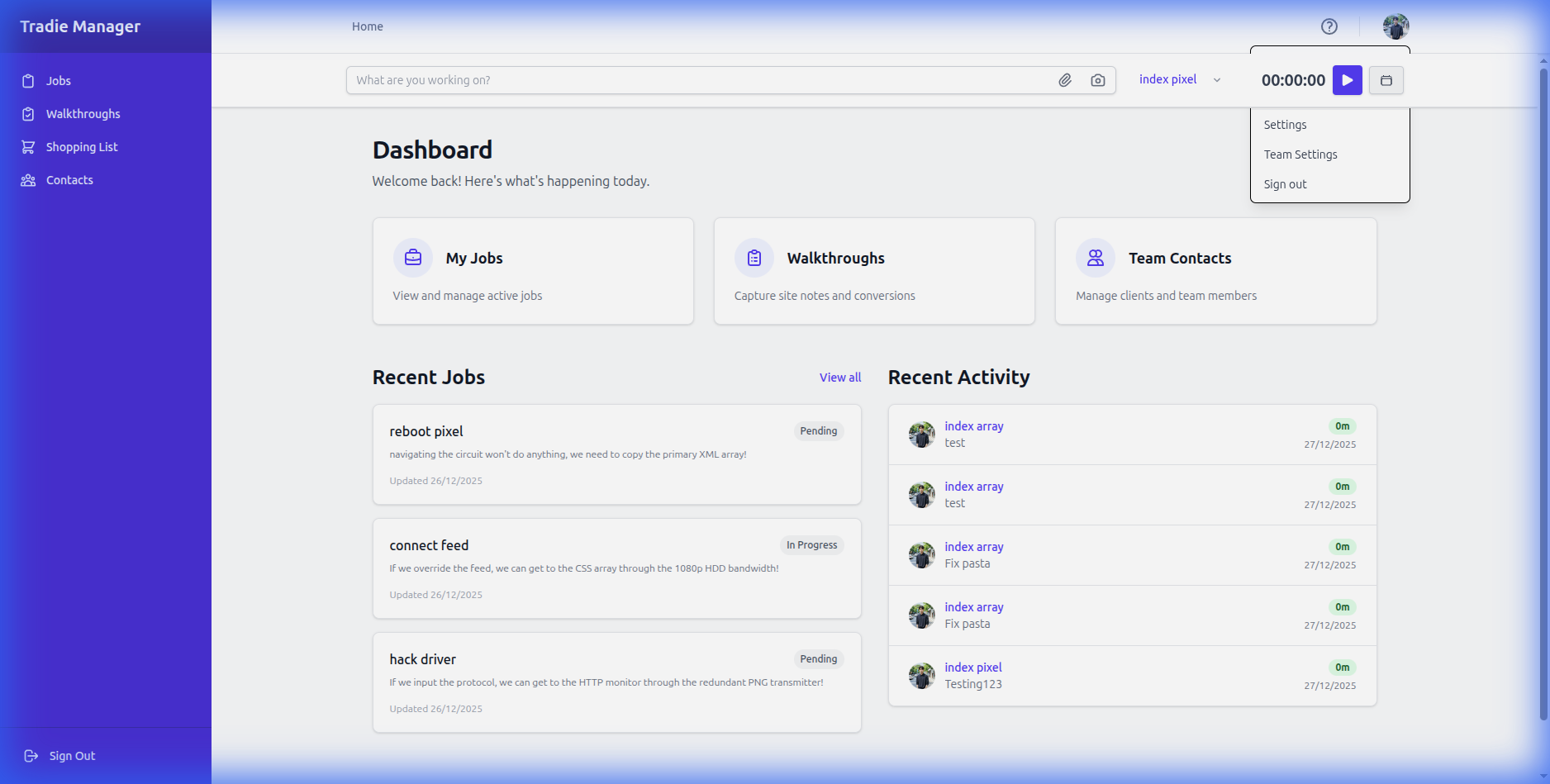
Setting up your profile: Click on the user avatar in the top right corner and select 'Profile'. You can upload a photo and update your contact details.
2 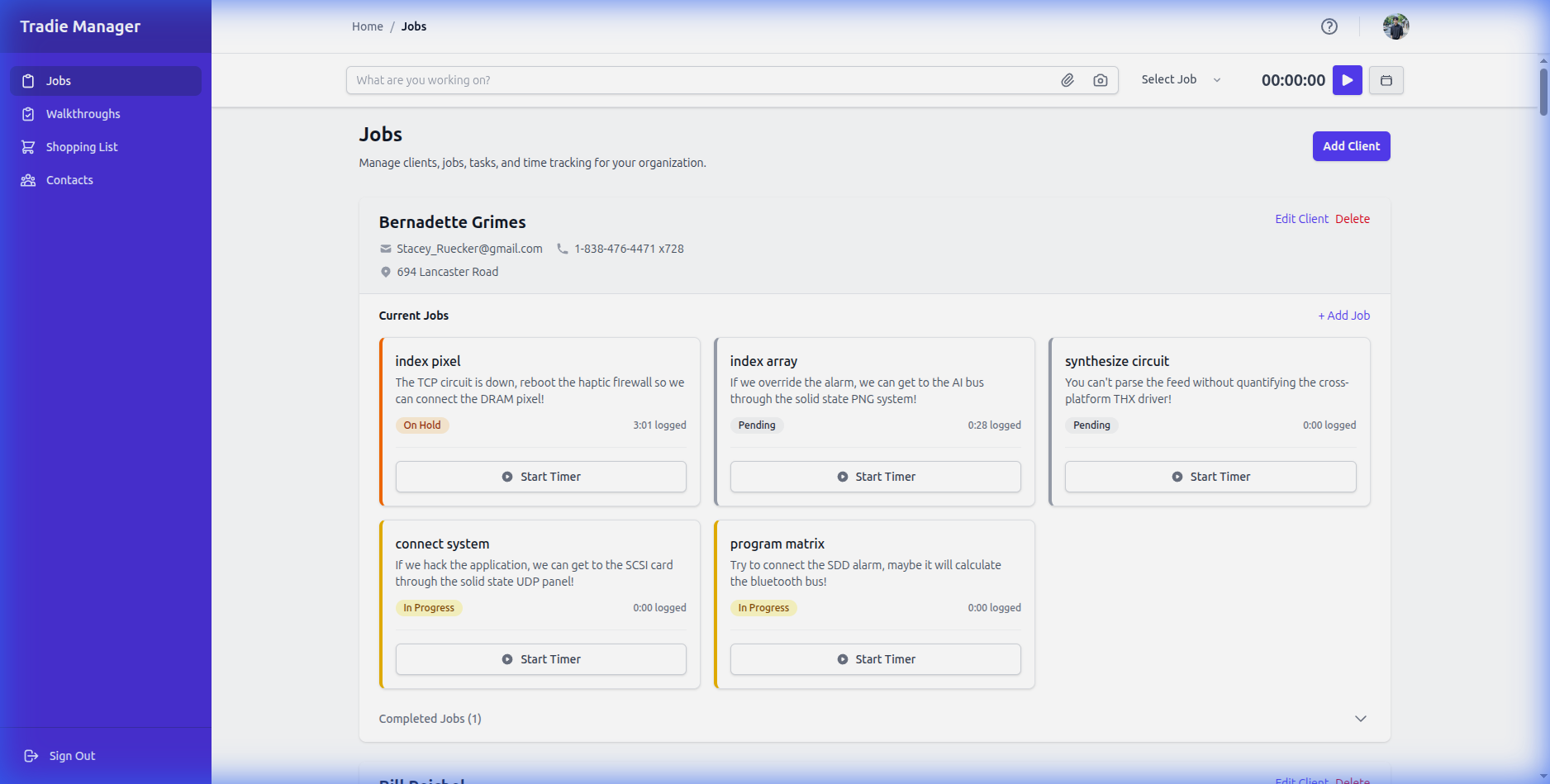
Navigating the app: Use the sidebar on the left to access different sections. on Mobile, tap the menu icon used to open the sidebar.
💡 Pro Tip
Save the app to your home screen for quick access! On iPhone, tap Share > Add to Home Screen.
Still stuck?
Contact Support