Jobs & Time Tracking
Learn how to manage your jobs and track your hours accurately.
Instructions
1 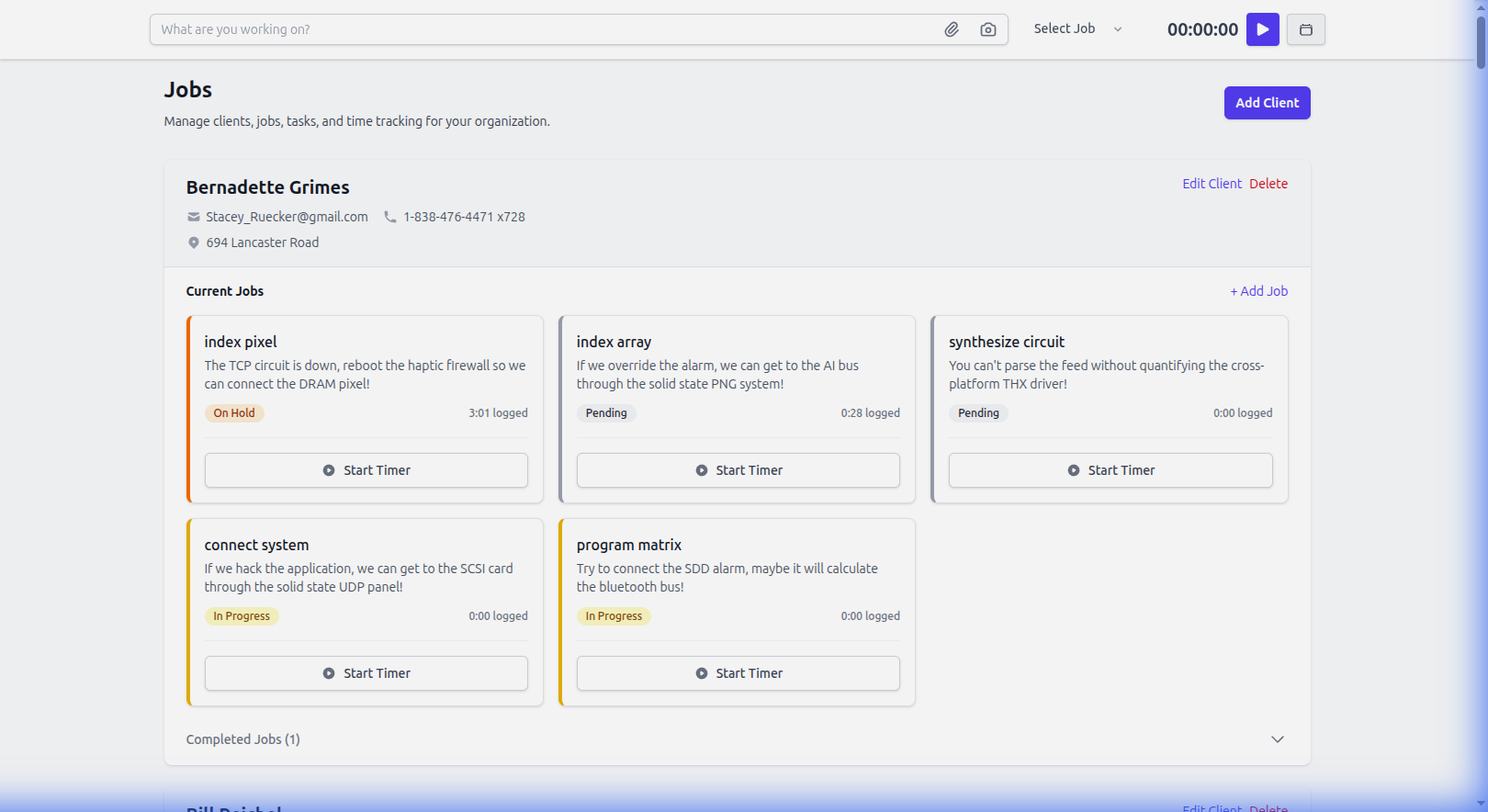
Finding a Job: Go to the 'Jobs' tab. You can see all your active jobs. Tap on a job card to view details.
2 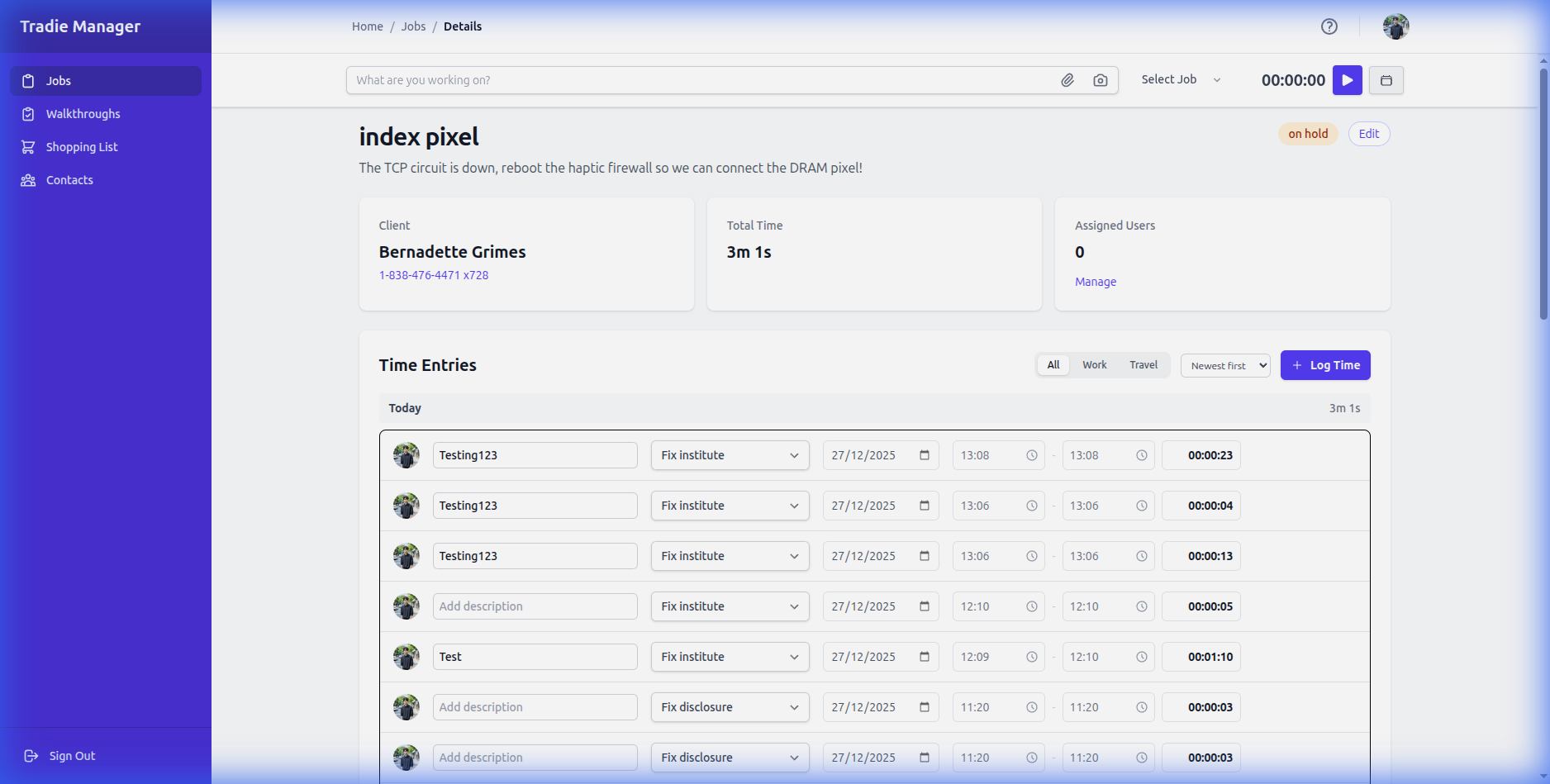
Starting the Timer: Inside a job, look for the 'Start Timer' button at the top. Tap it to begin tracking time.
3 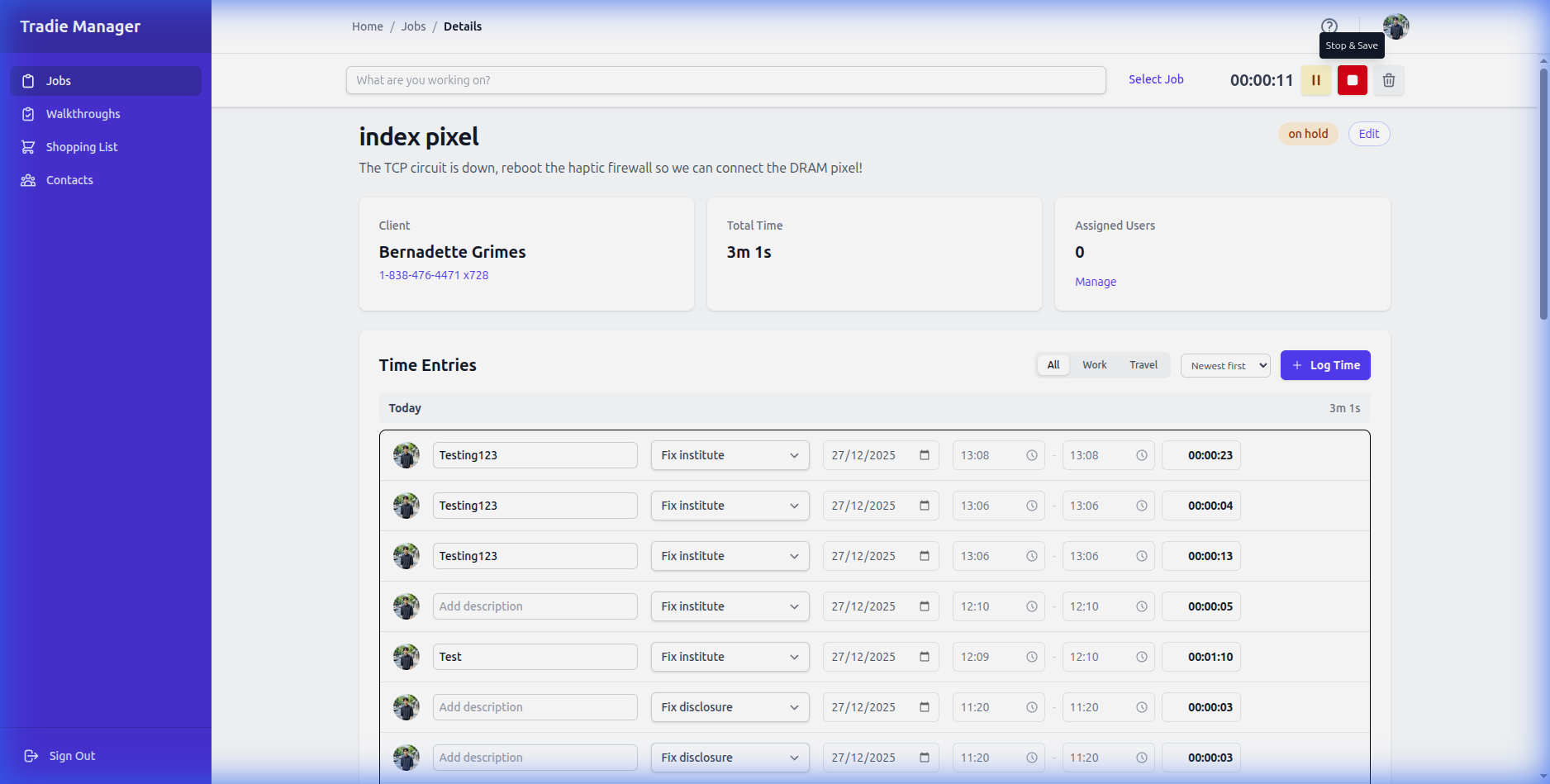
Timer Active: Once started, the timer will look like this. You can see it running at the top of the job details.
4
Stopping the Timer: When you're done, tap the Stop button. The time will be logged automatically to your current job.
5 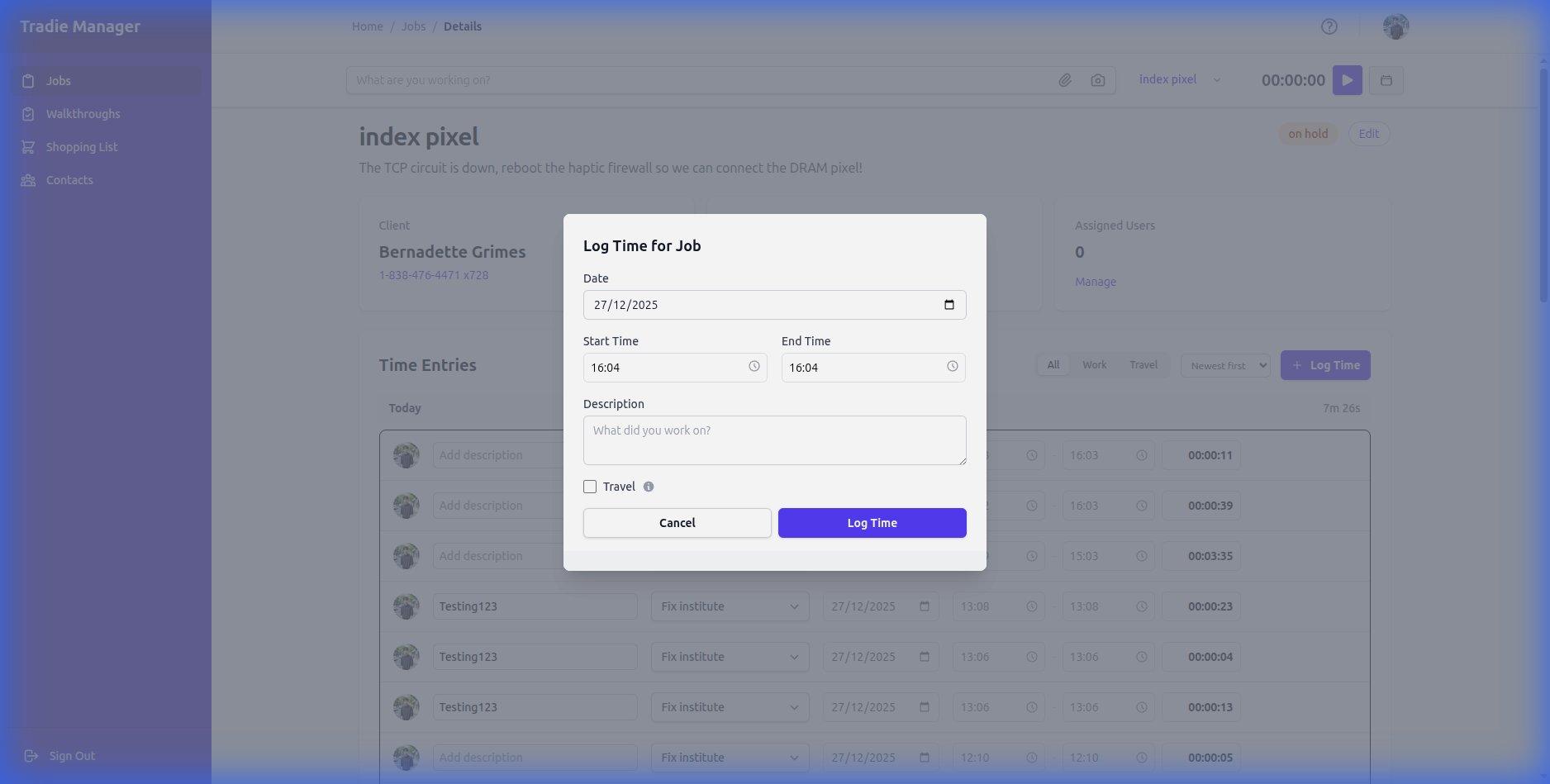
Manual Entry: Forgot to start the timer? No problem. Click the 'Log Time' button on the Job Details page.
Still stuck?
Contact Support